Fun Projects for your LEGO® MINDSTORMS® NXT!
|
|
Fun Projects for your LEGO® MINDSTORMS® NXT! |
| Power Functions Remote Control Sensor |
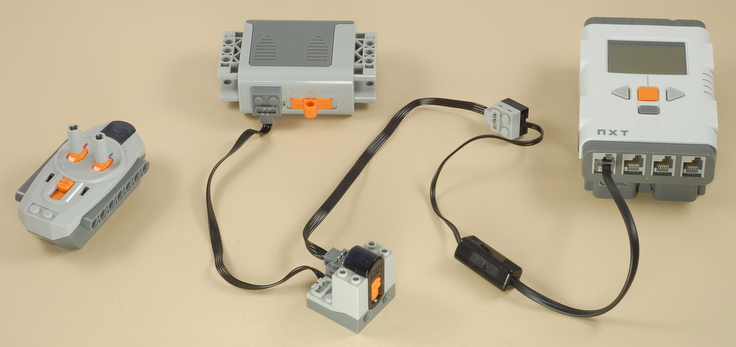
Here are two ways to make a Power Functions IR Receiver act as a sensor for an NXT, so that you can build projects that combine the NXT with Power Functions parts and control both the Power Functions and NXT parts with the Power Functions IR Remote Control. Method 1: Single Touch SensorThis method will simulate the input of a single touch sensor to the NXT when one of the levers on the IR Remote Control is pushed. This method is simple and doesn't require a lot of parts. Below is a picture of the complete solution.
The Power Functions Battery Box powers the Power Functions IR Receiver, which is connected to a sensor port on the NXT via a Power Functions Extension Wire (needed to convert the Power Functions connector to the RCX-style 9V connector) and then an RCX-to-NXT Conversion Cable. An NXT program that looks at port 1 as a standard NXT touch sensor will then report the touch sensor as pressed when the appropriate lever on the remote control is pushed in one direction. Pushing the lever in the other direction will act the same as the center position (simulate touch sensor not pressed). Be sure the remote control and the IR receiver are set to the same channel.
Note that the Power Functions Battery box is required to power the IR Receiver. The NXT will not power it. However, note that you can use the Power Functions Battery box to power other Power Functions motors on your creation, which use the other available output from the IR receiver, and other channels from additional IR receivers. Here is a video of an example project that uses this technique to combine and NXT plus two NXT motors with three Power Functions motors, all controlled by the Power Functions remote control. Method 2: Full 3-Position, Double Lever SensingThis more complicated method allows you to communicate the complete up/down/center position of both remote control levers to the NXT, where you can respond to them however you want in an NXT program. This method requires lots of extra electrical parts and some special handling in the NXT program.
|
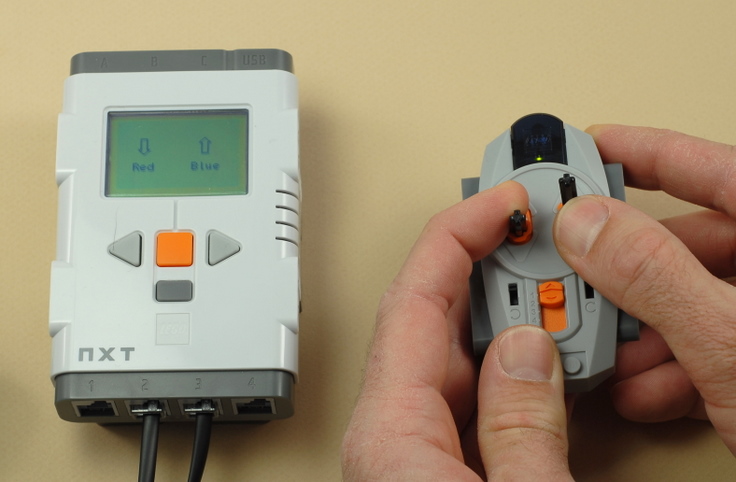
Below is a picture of the complete solution for a two-sensor control (red and blue controls on one channel). The Power Functions Battery Box powers the Power Functions IR Receiver and two Power Functions M-Motors, which are connected to two RCX-style rotation sensors, which are then connected to the NXT via RCX-to-NXT adapter wires. A program on the NXT watches the two rotation sensors to see which direction they are turning (if any), which is determined by the position on the controls on the Power Functions IR Remote Control. Optional gear attachments on the rotations sensors add friction to the motors to make them respond faster to the controls by preventing them from gradually coasting down when not powered. |
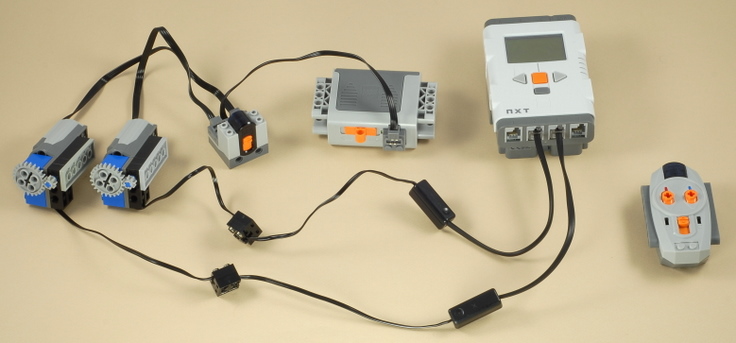
| Note that you could extend this solution to add
another channel (for a total of 4 controls) if you used all four of the
NXT sensor inputs and added more copies of all the parts (except the
battery box), or you could also reduce it to just one sensor (red or
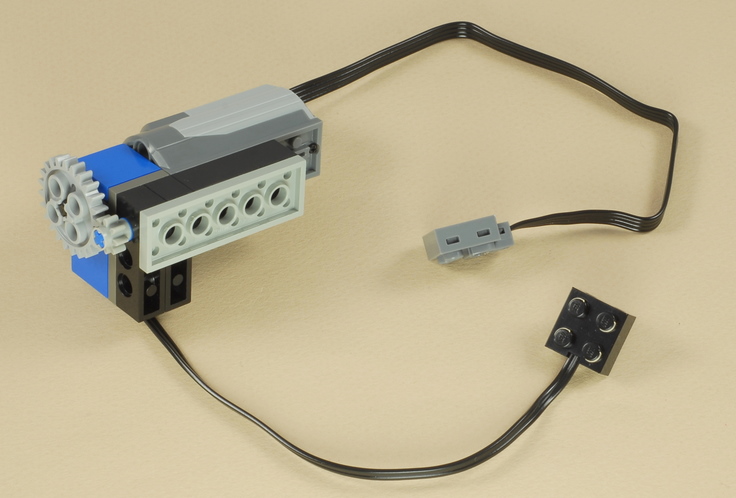
blue) with fewer parts. Here is a close-up picture of the optional gear attachment on the rotation sensor. The blue friction peg connected to the small gear adds friction to the rotation sensor to make it stop faster when not powered. This makes the controls respond faster to changes in position. |
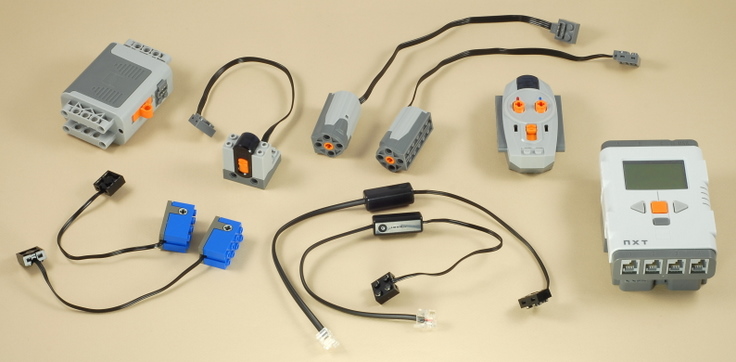
Electrical Parts NeededA number of special LEGO electrical parts are needed for this solution, so unfortunately it is not inexpensive unless you already have the parts. You need:
|
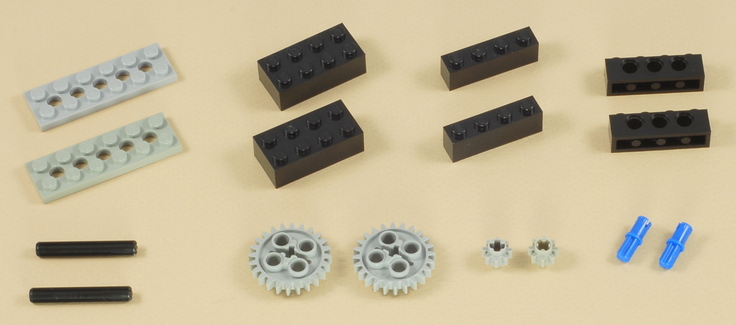
Other LEGO parts Used in this Solution: |
| Programming
the Dual 3-Position Response on the NXT The PF_Remote program shows an example of how to respond to the remote control solution shown above on the NXT. It scans the RCX-style rotations sensors and draws arrow graphics on the NXT screen to indicate the position of the controls on the remote control. The Education Version of the NXT-G programming software or the Legacy Block Library add-on is required because of the use of the RCX-style sensors. |
|
Copyright
©
2007-2011 by Dave Parker. All rights reserved. |