Fun Projects for your LEGO® MINDSTORMS® NXT!
|
|
Fun Projects for your LEGO® MINDSTORMS® NXT! |
| Sensor Meter |
|

1
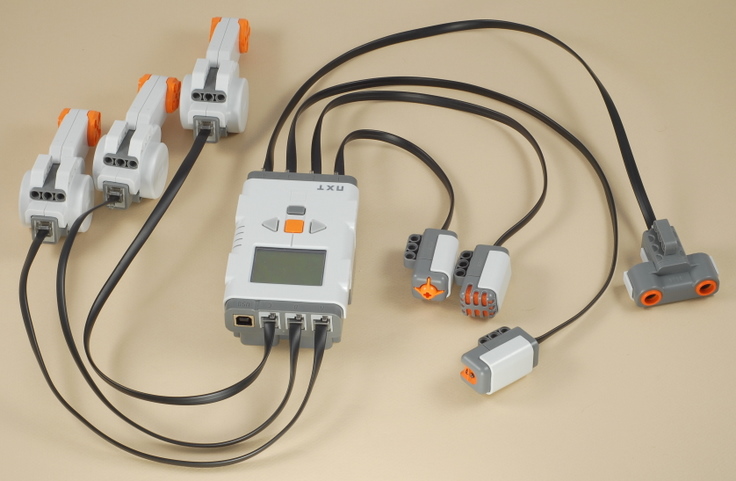
To make a simple way to test all of the sensors,
attach all of the motors and sensors to the NXT brick as follows:
You can also use the program for this project with any other robot if as the sensors are connected like this. |
| Sensor
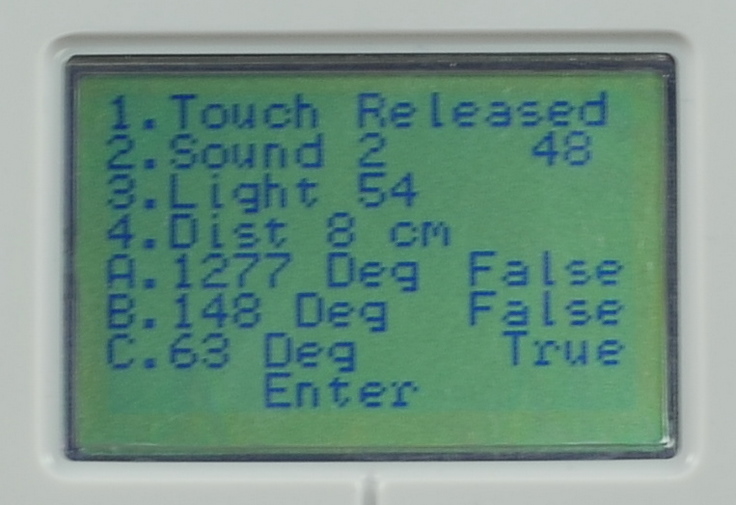
Meter Programming Use the Sensor_Meter program to display the values for all of the sensors, as shown below. |
Using the Sensor Meter
The
Sensor_Meter program displays the following information:
To reset the rotation sensors back to zero, you can abort the program with the dark gray button on the NXT brick, then restart the program. |
| Challenges Try experimenting with different combinations of sensors, and even plugging some sensors into the wrong port to see what happens (I trust that LEGO has designed the parts so that you cannot damage a part by plugging it into the wrong port). For example, some things that I found out were:
|
|
|
Copyright
©
2007-2011 by Dave Parker. All rights reserved. |